Build on a managed foundation
Use a configured web server, PHP, and MySQL stack. Spend your time on content and your site while routine server maintenance is handled.

Hosting solutions
Launch and manage your WordPress websites with staging, SSL, backups, and server maintenance together.
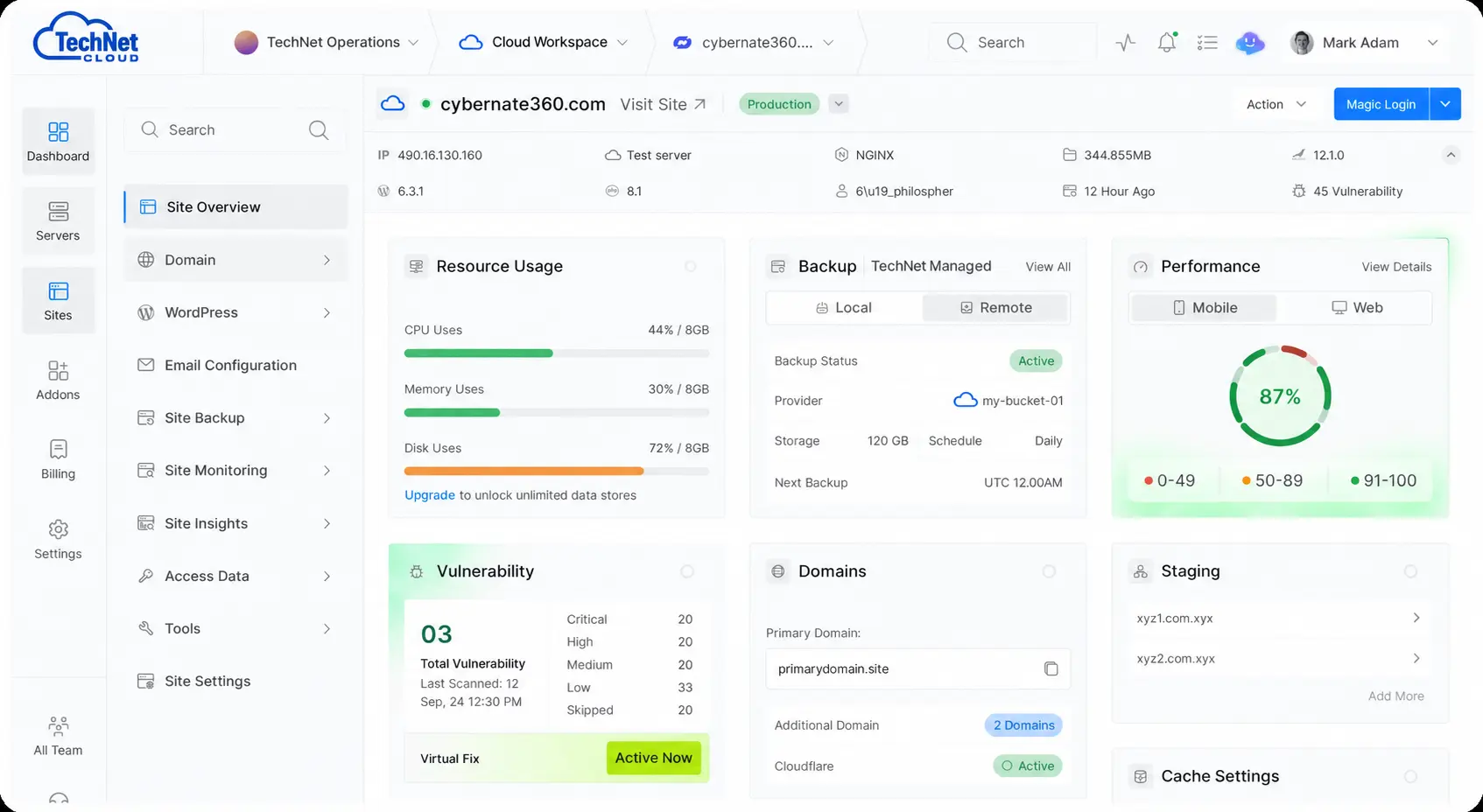
Explore the setup and day-to-day operations behind your hosting.
Use a configured web server, PHP, and MySQL stack. Spend your time on content and your site while routine server maintenance is handled.
Use staging and cloning to review theme, plugin, and content changes away from the live site. Take a backup before making changes in production.
Manage domains, SSL, backups, and application information from your control panel instead of switching between separate tools.
Your next step
Tell us about your application and existing infrastructure. We’ll help you plan the hosting setup and any migration work.
Discuss your projectApplication stack, data, domains, current provider, and expected workload.
Review resources, backup storage, access, and account requirements.
Test the application, connect your domain, and review your recovery plan.
A few useful things to know about this setup.
Review memory, CPU, storage, bandwidth, and the website allowance in each plan. Share your workload with the team if you need help choosing.
TechNet Cloud offers assisted site and server migration. Contact the team to discuss the current environment and arrange a transfer.
Managed hosting includes root and SSH access alongside the control panel. Review application requirements before changing server configuration.
Talk to the team about your application, hosting resources, and migration requirements.